The design system for Government of Ghana websites
Build government websites people can trust
Tested components, patterns and guidance for Government of Ghana websites. Build services people recognise and everyone can use, on any phone and any connection.
Start here:
Woven for everyone
Made the way Ghana makes cloth
Kente and fugu are woven in narrow strips, then sewn together into one cloth.
GGDS is made the same way. Small parts, each one tested, are sewn into services that every part of government shares and everyone can use.
1. The thread
It starts with a few good threads
Every government website built with GGDS starts from the same few things: its colours, its lettering, the space between things, and small pictures called icons.
Each one is chosen with care. If a colour is too pale to read, GGDS will not let anyone use it.
2. The strip
Threads become parts
From those threads, GGDS weaves 45 ready-made parts: buttons, a box for your Ghana Card number, a label that says your application is approved, and many more.
Each part is tested on its own before anyone uses it: on a small, low-cost phone, on a slow connection, and for people who listen to their screen instead of reading it.
3. The cloth
Parts become services
Sewn together, the parts become whole services that people can finish on their phone: apply for a licence, pay with mobile money, and get a receipt straight away.
GGDS also shows teams, step by step, how to build the things people do most, from asking for a Ghana Card number to taking a payment.
4. The colours
One design system, every institution
Choose an institution and watch this page take on its colour: the line under the header, the top of the page, the loom, the cloth and the footer. Buttons, links and boxes to fill in stay exactly the same, so people know how to use every government website.
5. The people
Made to be worn
Cloth is made to be worn. GGDS is made for the people who use government websites: someone on a low-cost phone, on slow and costly data, outdoors in bright sun, far from Accra, who reads English as a second language, or who cannot see the screen well.
Any phone
Pages fit even the smallest phone screens, and still work when extra features cannot load.
Slow, costly data
The whole look of a page weighs less than a single photo, so it opens quickly and costs little.
Bright sun
Every colour is checked so that words stay clear to read, even outdoors.
Listening, not looking
Pages are built so that phones can read them aloud to people who are blind or cannot see well.
Bigger words
Make the words as large as you need: nothing gets cut off, and you never scroll sideways.
6. The weaver’s mark
Proof, not promises
Every cloth carries its maker’s mark. Ours is proof: these checks run every time GGDS changes, and these numbers were counted when this page was made.
- Ready-made parts
- 45
- Step-by-step guides
- 12
- Icons
- 143
- The look of every page
- 11.1 KBSmaller than one photo
- Optional extras
- 6.5 KBPages work without them
- Checked for accessibility
- Every changeAgainst the world standard, WCAG 2.2 AA
Weave with us
Already on WordPress?
Switch your website to GGDS in an afternoon
GGDS Switch is a WordPress plugin. It turns the website you have into a GGDS government website: the official banner, a clear header and footer, and pages that are easy to read on any phone. Your pages, menus and logo come with you. Page-builder layouts become plain, accessible pages. Preview it first, and undo it any time.
For WordPress 6.5 or later. Upload it in Plugins, then open GGDS > Switch to GGDS. Nothing changes until you press Switch.
The things government institutions build again and again, made with GGDS: online services, payments, tracking, bookings, registers, accounts, staff tools, and jobs and tenders. Point at one to see the whole page.
Each template works in any institution’s theme, including MoCDTI’s and each of its agencies’: open one and choose the theme at the top.
Make a whole website
Your institution's website, in five minutes
Give your institution's name, address, contact details and colour, and choose what it needs. You get a complete website: a homepage, services, an application from start to confirmation, a complaint form, news, publications, jobs, about and contact pages, search, and the accessibility, privacy and disclaimer pages. It comes with the server settings for security and speed, and a guide to putting it online on any hosting.
Plain HTML, GGDS 0.5.0, under a strict Content Security Policy. Or download the example, Example Agency (ZIP, 109 KB), or run npx @ggds/create.
Built most often
-
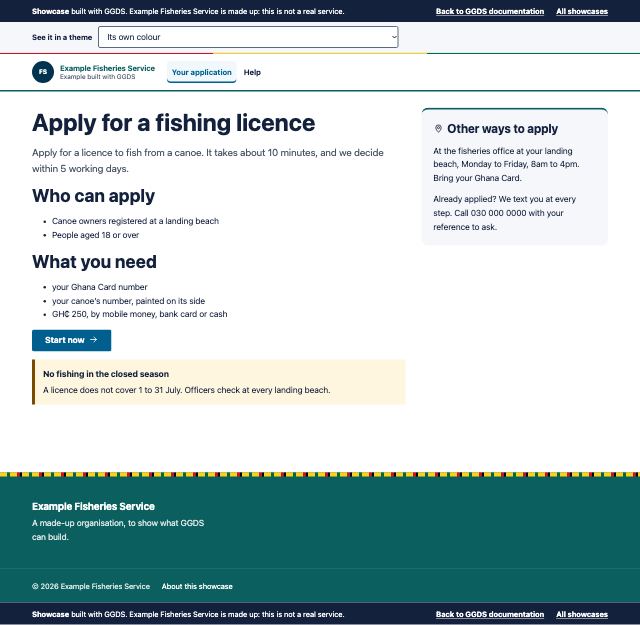
The thing every institution builds: a start page, the questions, check your answers, pay, and what happens next.
-
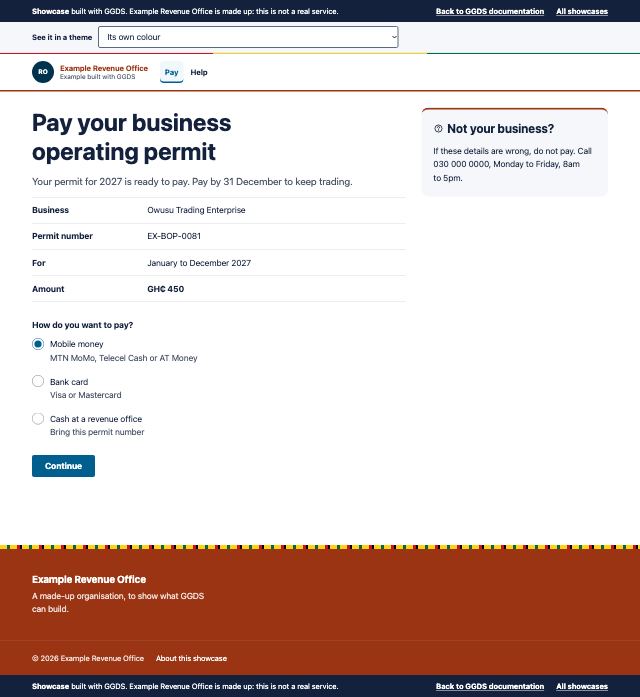
Almost every service ends in a payment: what you owe, how to pay, mobile money that never asks for the PIN here, and a receipt to keep.
-
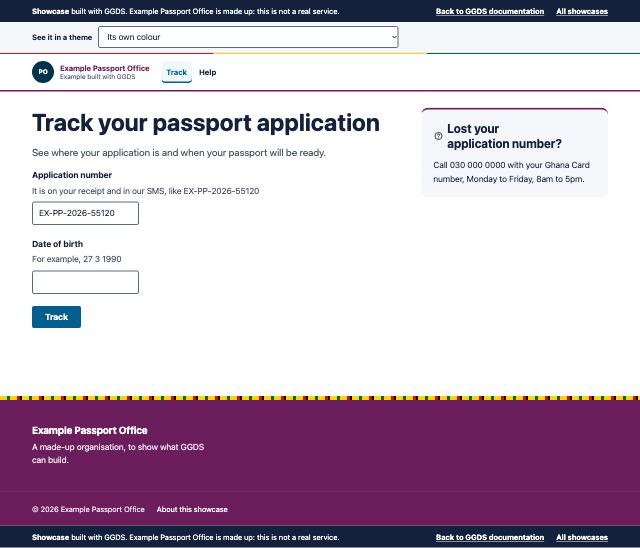
Where is my application? Enter the reference, see each step and what happens next: fewer calls and visits to your office.
-
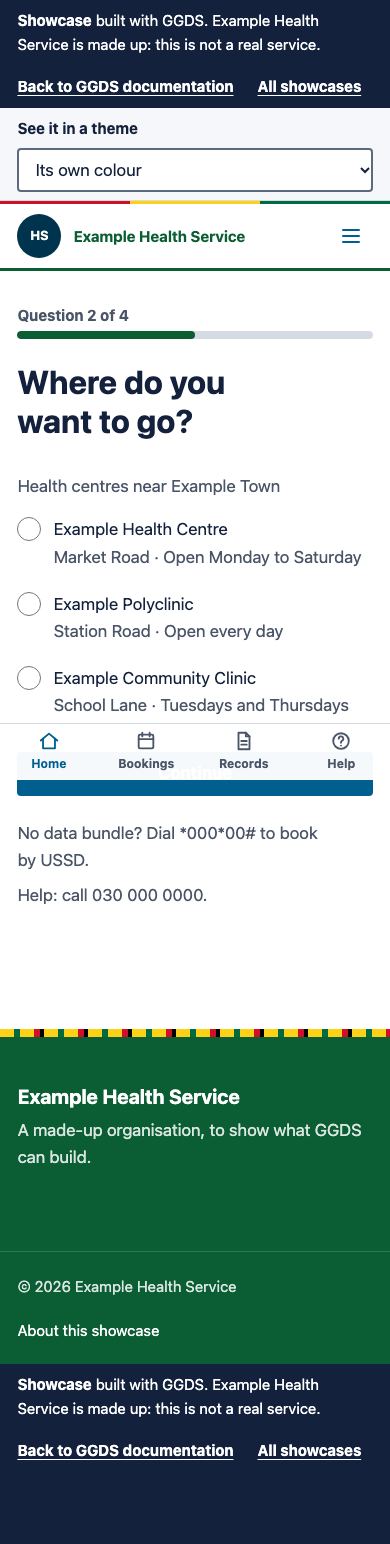
Choose a place and a time, then a booking people can show at the door. Made for a low-cost phone: one question a page, big targets.
-
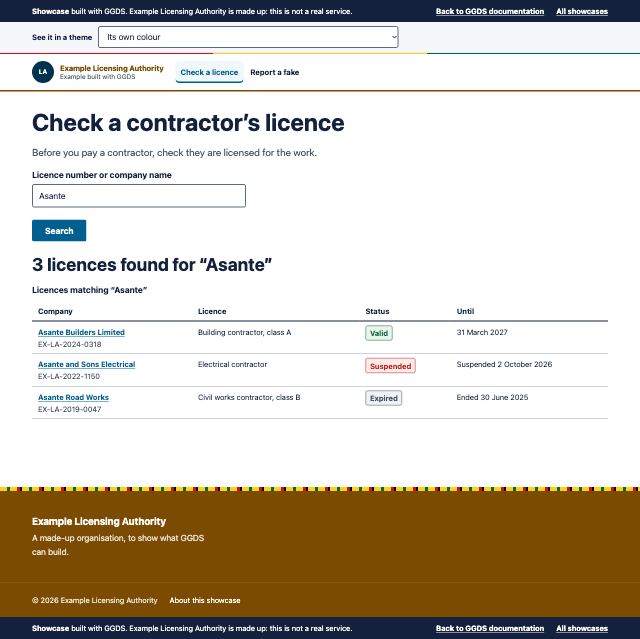
A public register anyone can search before they pay: is this company licensed, for what, and until when? With a way to report a fake.
-
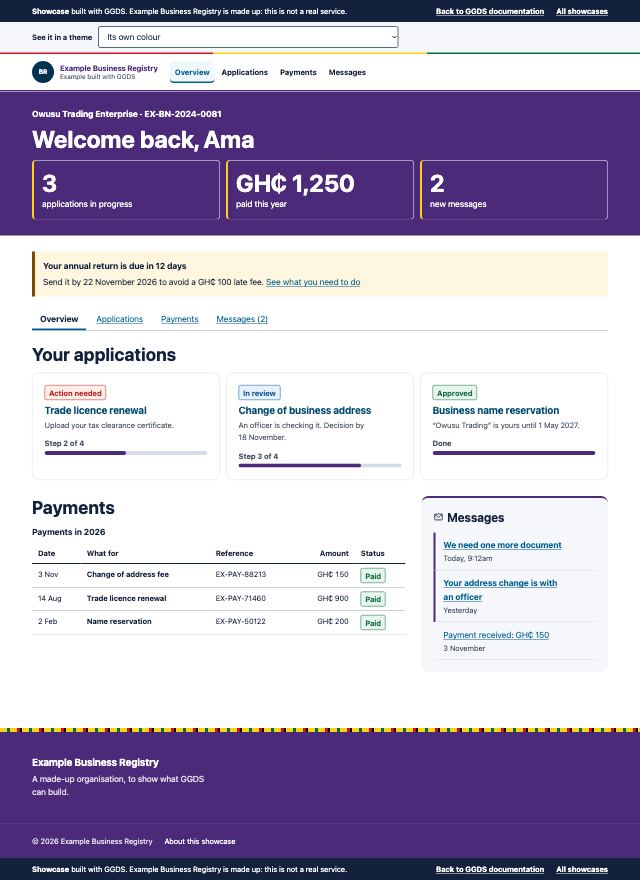
Everything someone has with an institution in one place: what needs doing, applications, payments and messages.
-
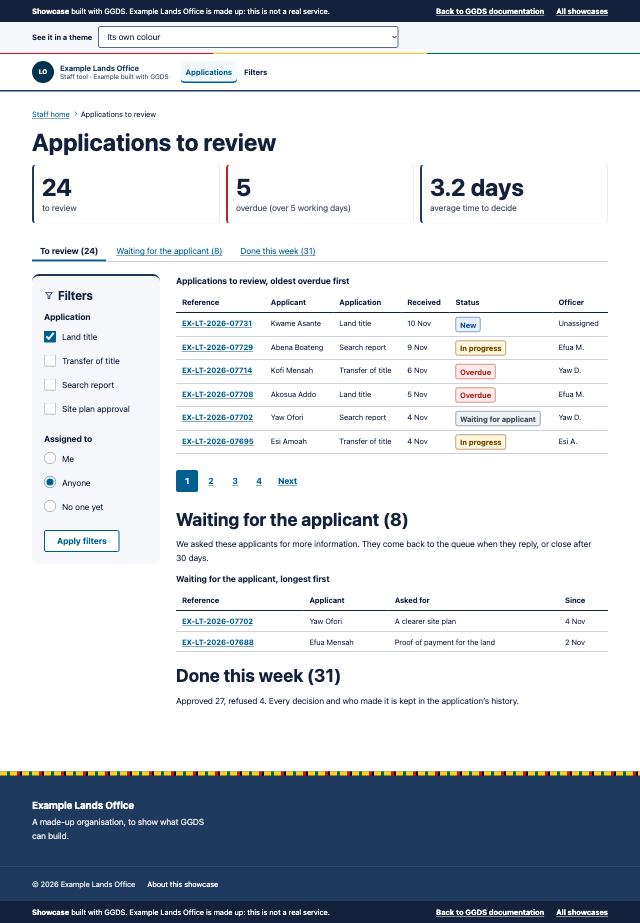
The other side of every service: the queue staff work through, and the page where an officer decides on one application.
-
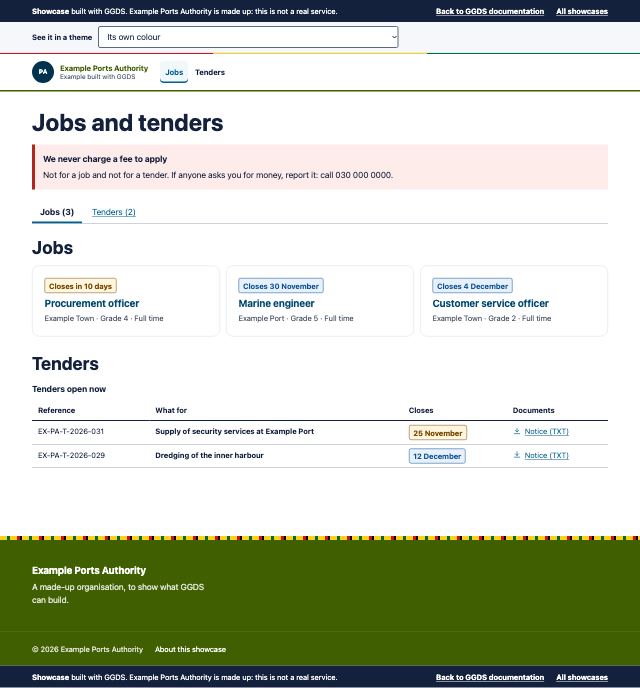
What nearly every institution publishes: vacancies and tender notices with closing dates, documents to download, and a warning about fake adverts.
More examples
-
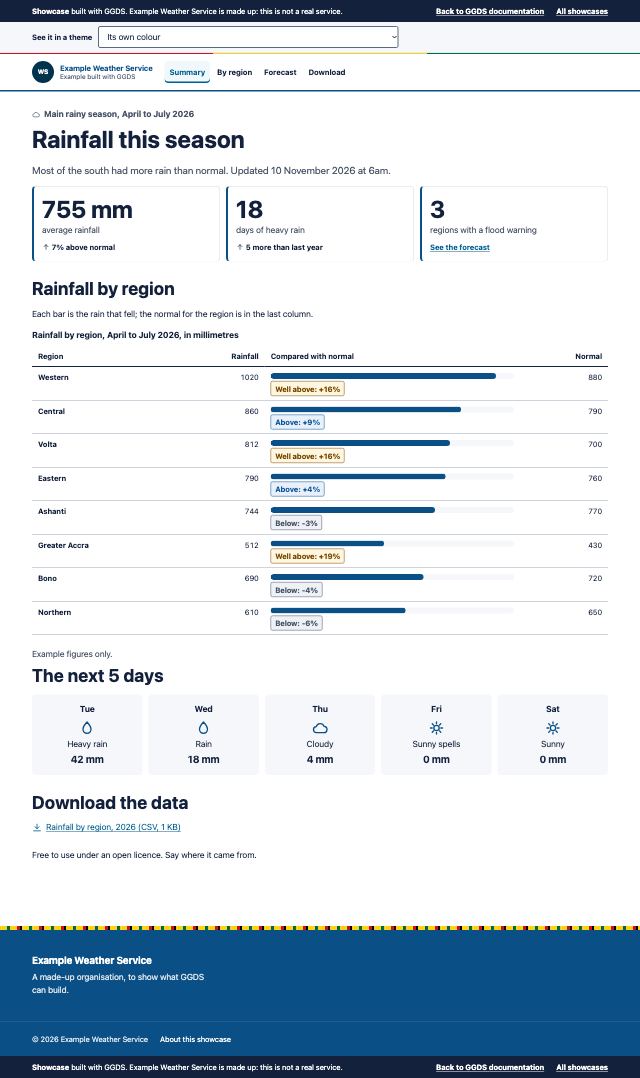
Live figures people can read and reuse: key numbers, a chart that is also a table, a forecast, and the data to download.
-
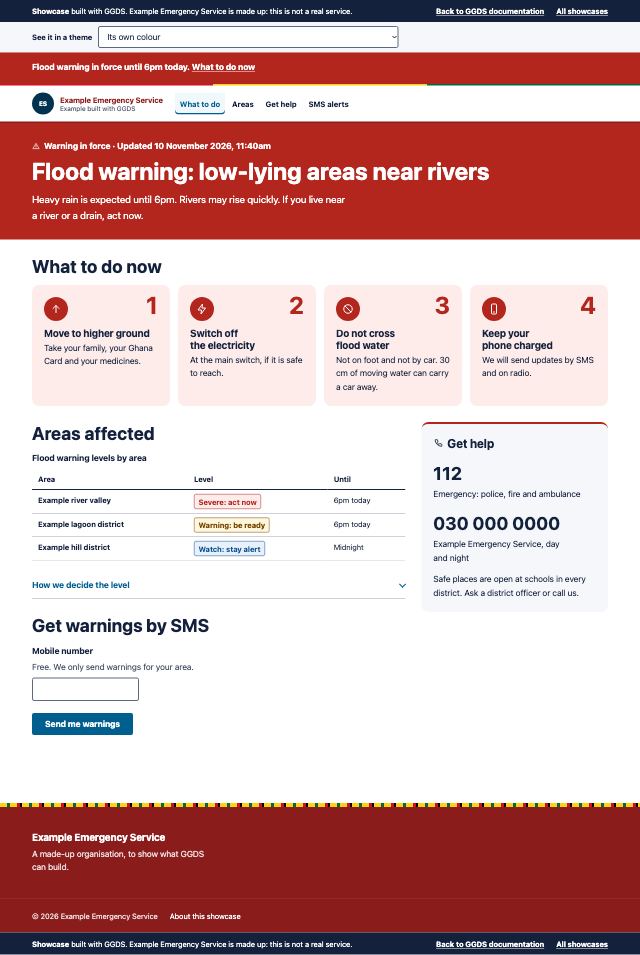
Information people need in a hurry: the warning, what to do now, the areas affected and who to call.
Every organisation, person and figure in the showcase is made up.
See it work
These are real GGDS parts, not pictures of them.
Try a form
Leave it empty, or type something wrong, then press Continue. See how GGDS tells people what went wrong and how to put it right.
Try the error summary and form fields on their pages.
Same page, any screen
Resize a real example page from a small 320px phone to a laptop. Nothing scrolls sideways, nothing is hidden, and the text stays easy to read.
What is GGDS?
The Ghana Government Design System (GGDS) is a free, shared set of building blocks for government websites: page parts such as headers, forms and menus, the code for each, and guidance on using them. Websites built with it look and work the same way, so someone who has used one government website can use them all.
- Who is it for?
- Ministries, departments and agencies, and the suppliers who build and run their websites. There is a guide for each role: developers, designers, content designers and service owners.
- Do I have to use it?
- Not yet. GGDS is a draft. NITA plans to make it official guidance for government websites at version 1.0, after independent accessibility testing with disabled people.
- What does it cost?
- Nothing. Any institution or supplier can use it, change it and share it, free of charge.
- Who maintains it?
- The National Information Technology Agency (NITA). Anyone can report a problem or suggest a change.
Free to use
GGDS code is free to use, change and share under the Apache-2.0 licence. The national flag, the coat of arms and institutions’ logos are not part of the licence: use them only as their owners allow.